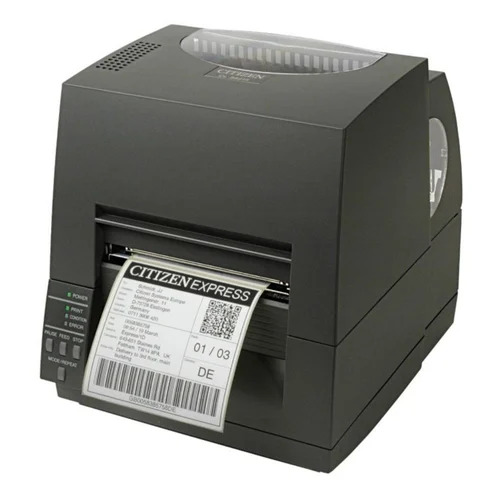
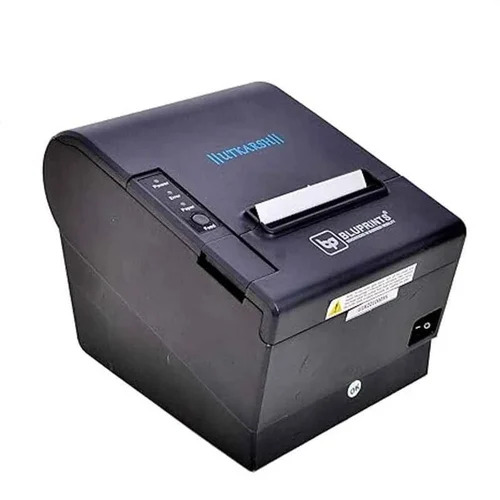
About Citizen Thermal Printer
Find the splendid Citizen Thermal Printer-a true marvel for modern businesses. Capitalise on its unparalleled print reliability: enjoy a glorious head life of 100 million pulses (or 150 km printed) and a cutter life of 1.5 million cuts. With support for Windows and Linux, this compact powerhouse delivers up to 200 mm/sec print speeds, perfect for receipts, tickets, and POS systems. Experience seamless connectivity options (USB, Serial, Ethernet) and revel in high reliability with MTBF of 360,000 hours. Bargain hunting ends here with this robust and efficient printing solution.
Versatile Applications & Optimal Suitability
The Citizen Thermal Printer excels in environments demanding fast, reliable receipt and ticket printing, such as retail, hospitality, and transport sectors. It is splendidly suited for use in point-of-sale systems, billing counters, and ticketing stations, offering remarkable performance with both 58 mm and 80 mm thermal paper. Its compact design makes it a fitting choice for desktops where space is prized, ensuring efficient operation while keeping footprint minimal.
Domestic Reach, Certifications, and Export Potential
This Citizen Thermal Printer is predominantly catered to the Indian domestic market, yet its export market prospects are robust, facilitated by FOB ports across India. It is handed over with certifications meeting various standards, ensuring reliability for businesses worldwide. The estimated dispatch is prompt, and its quality-focused manufacturing is ideal for service providers, traders, suppliers, and end-users seeking dependable and certified printing solutions.
FAQ's of Citizen Thermal Printer:
Q: How can I install the Citizen Thermal Printer on Windows or Linux systems?
A: To install the Citizen Thermal Printer, use the compatible driver available on the manufacturer's website. Follow the included setup guide for Windows or Linux; note that driver support may vary by operating system.
Q: What are the main benefits of using a Citizen Thermal Printer for POS systems?
A: The printer delivers fast, reliable, and high-quality receipt and ticket output, with an auto cutter and compact design, ensuring smooth operation and space savings at busy POS counters.
Q: Where is this printer best utilised in terms of application areas?
A: This printer is ideally used in retail, hospitality, billing, and ticketing systems, making it suitable for supermarkets, restaurants, transport hubs, and similar environments demanding efficient receipt processing.
Q: What is the process for replacing the thermal paper roll in this printer?
A: To replace the thermal paper roll, open the cover, remove the core, insert new thermal paper (58mm or 80mm size), and secure the cover. The printer is ready for continued operation in just a few simple steps.
Q: When should I consider maintenance for my Citizen Thermal Printer?
A: Regular basic maintenance, such as cleaning the print head and checking the cutter, should be performed according to usage intensity. Refer to the user manual for recommended service intervals to maintain optimal print quality and reliability.

 Send Inquiry



 Send Inquiry

 Send Inquiry